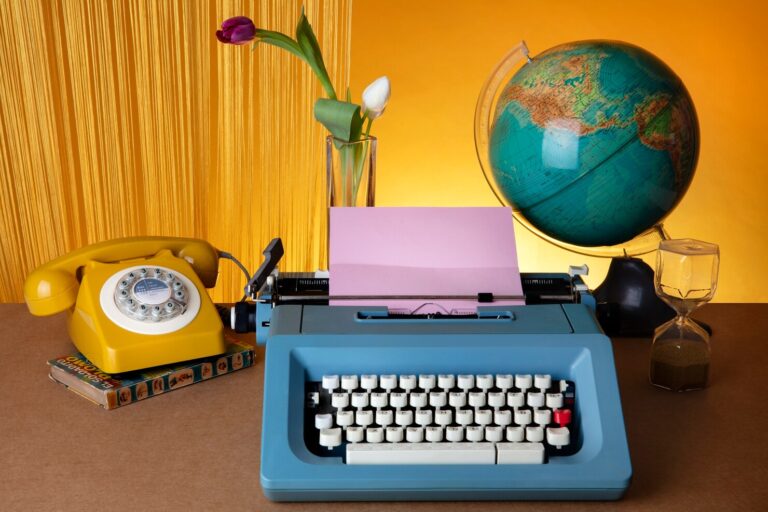
Technology changes incredibly quickly. Computers that once filled an entire desk can now fit inside a backpack, while many tasks that required separate pieces of hardware can be completed with a single smartphone or laptop. Along the way, countless accessories disappeared from everyday life.
Some were replaced by wireless technology. Others became unnecessary as operating systems, cloud services, USB connections, and multifunctional devices became standard. A few simply became too inconvenient compared with modern alternatives.
For people who grew up using computers during the 1980s, 1990s, or early 2000s, however, these accessories can bring back strong memories of an earlier digital era. Floppy drives, trackballs, external modems, and keyboard wrist rests were once common accessories found alongside everyday computers.
Today, many of these forgotten computer accessories look unusual compared with the sleek wireless products found on modern desks. Yet each one played a role in making computers easier to use, store data, connect to networks, or perform specialized tasks.
This list explores 20 old computer accessories that were once common, explains why they mattered, and looks at what eventually happened to them.
Why Computer Accessories Mattered
Before modern computers became highly integrated, users often needed several separate accessories to perform basic tasks.
Storage, communication, printing, audio, gaming, and even pointing at objects on a screen could require dedicated hardware. A computer might have been accompanied by speakers, external drives, cables, adapters, modems, scanners, and other equipment.
The accessory market was particularly important because computer manufacturers did not always include every function inside the machine.
For example, a computer without a modem could not connect to many online services. A computer without a printer required users to transfer documents to another machine for printing. Additional storage often meant inserting removable media or connecting an external drive.
Many of these products eventually disappeared because manufacturers began integrating their functions directly into computers.
USB ports reduced the need for proprietary connectors. Wireless networking eliminated many network cables. Cloud storage reduced dependence on physical media. Touchpads replaced several pointing devices on laptops.
Still, these vintage PC accessories represent important stages in the development of personal computing.
20 Forgotten Computer Accessories
1. Floppy Disk Drives
Floppy disks are among the most recognizable symbols of early personal computing.
Before USB flash drives and cloud storage became commonplace, floppy disks were a practical way to move programs and files between computers. Depending on the era and format, floppy disks came in different physical sizes and storage capacities.
The 3.5-inch floppy became especially familiar during the 1990s. Users could save documents, transport school assignments, install software, or create backup copies.
Although floppy disks seem extremely limited by modern standards, they were convenient for their time.
Their decline accelerated as larger and faster storage formats became affordable. CDs, DVDs, USB drives, external hard drives, and eventually cloud storage offered substantially more capacity and convenience.
Today, floppy disks are mostly associated with retro computing, historical collections, and nostalgia.
2. External Dial-Up Modems
Before broadband and Wi-Fi, connecting a home computer to the internet often involved a dial-up modem.
External modems were standalone units that allowed computers to access the internet through a telephone connection. They converted digital computer information into signals that could travel through telephone networks and then converted incoming signals back into computer-readable data.
One of the most memorable parts of dial-up internet was the distinctive sequence of sounds produced while connecting.
External modems were particularly useful because users could install or replace them without opening the computer.
Broadband connections eventually made dial-up modems obsolete for everyday internet access. Wireless routers later made even more cables unnecessary.
For many people, however, the dial-up modem remains one of the defining 90s computer gadgets.
3. Trackballs
A trackball is essentially a pointing device with a ball that users rotate with their fingers or palm.
Instead of moving the entire device across a desk like a traditional mouse, the user could keep the trackball stationary and move the ball itself.
Trackballs were available for desktop computers and were also used in specialized environments.
They could be particularly useful where desk space was limited because the device did not need to slide around.
As conventional computer mice grew more popular, trackballs gradually became less common but continued to have a place in certain computing setups. Modern versions are still available, particularly among users who prefer their stationary design.
4. Serial Mouse Adapters
Before USB became the standard connection for many computer peripherals, mice commonly used serial or PS/2 connections.
Serial mouse adapters helped users connect particular pointing devices to computers with compatible ports.
The setup could be confusing for modern users because different connectors and ports often had different purposes.
USB eventually simplified peripheral connections by providing a more universal interface.
Today, serial mouse adapters are mostly interesting to retro-computing enthusiasts who want to use original peripherals with older systems.
5. PS/2 Port Adapters
PS/2 connectors were widely used for keyboards and mice on desktop PCs.
Small adapters allowed users to connect certain PS/2 peripherals to different configurations. These accessories became less important as USB keyboards and mice became widely available.
For modern users, the PS/2 connector is easy to overlook because USB has become so universal.
However, anyone who worked with older PCs may remember carefully checking whether a connector was intended for a keyboard or mouse.
6. Zip Drives
Zip drives were removable storage devices that offered considerably more capacity than conventional floppy disks.
They became popular among computer users who needed to transport or back up larger files.
For their era, Zip disks offered an attractive combination of removable storage and relatively convenient access.
However, the format eventually faced competition from recordable CDs, DVDs, USB flash drives, and larger hard drives.
As storage technology became cheaper and more compact, Zip drives disappeared from mainstream computer use.
Today, they are an interesting example of a transitional storage technology.
7. Parallel-Port Zip Accessories
Some older external storage devices and computer accessories connected through parallel ports.
Parallel ports were commonly associated with printers, but manufacturers also created storage and other peripherals that used them.
These accessories could be slower and more complicated than modern USB devices, but they offered users additional functionality without requiring major hardware upgrades.
Once USB became widely adopted, parallel-port accessories became increasingly unnecessary.
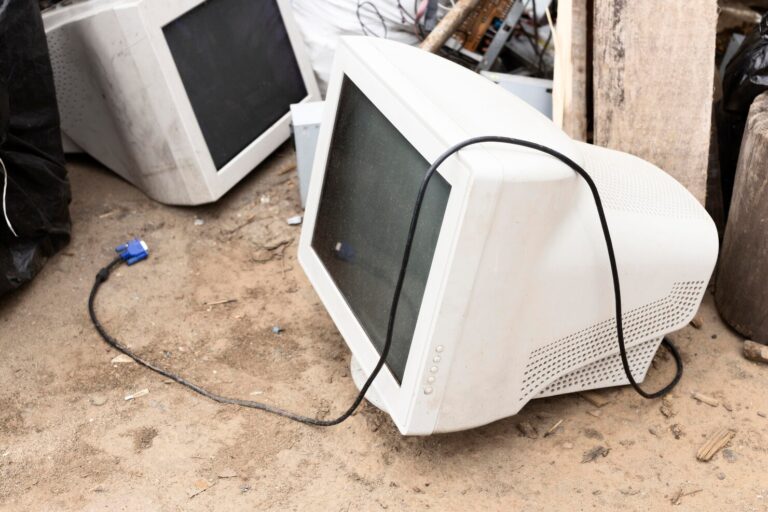
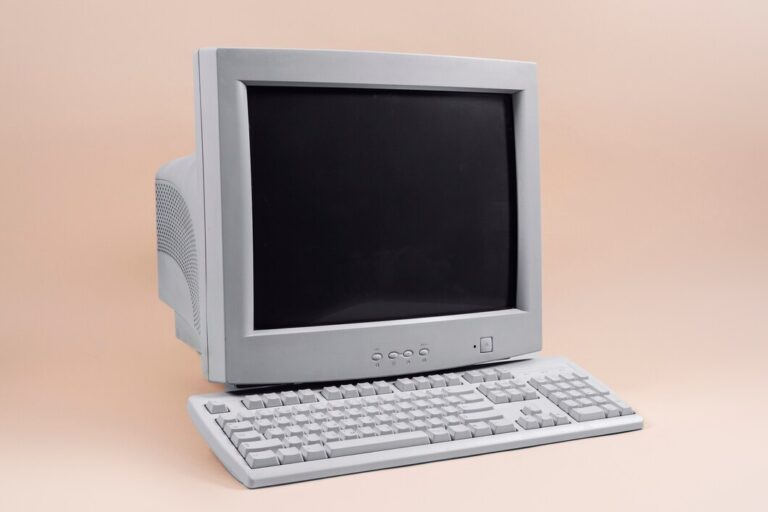
8. CRT Monitor Accessories
Older CRT monitors often required accessories that would seem unnecessary today.
Monitor hoods, screen filters, cleaning kits, specialized stands, and anti-glare accessories were used to improve viewing comfort and protect screens.
CRT displays were bulky and heavy, and their glass screens behaved very differently from modern LCD and LED panels.
Some users placed filters directly over their screens to reduce glare or modify the viewing experience.
As flat-panel displays became mainstream, most of these accessories disappeared from everyday computer desks.
9. Monitor Screen Filters
Screen filters deserve special attention because they were once surprisingly common.
A filter could be placed in front of a CRT monitor to reduce glare or provide a degree of privacy.
Some filters were marketed as helping reduce reflections from overhead lighting, while privacy-oriented models made the screen harder to view from certain angles.
Modern monitors have improved significantly in display quality and viewing comfort, reducing the need for many of these add-ons.
10. Computer Wrist Rests
Computer wrist rests have not completely disappeared, but older versions were once strongly associated with traditional desktop setups.
A typical keyboard could be large, deep, and uncomfortable to use for extended periods. A wrist rest provided support near the front edge of the keyboard.
Older computer desks sometimes had built-in keyboard trays and matching wrist-support accessories.
Modern ergonomic keyboards and adjustable workstations have changed how users approach wrist comfort, but wrist rests remain available for people who prefer additional support.
11. Joysticks for PC Gaming
Modern gaming often revolves around sophisticated controllers, wireless gamepads, racing wheels, and specialized peripherals.
Early PC gaming frequently relied on simple joysticks.
A joystick could contain a physical stick, buttons, and sometimes additional controls. It was particularly useful for flight games, space simulations, and arcade-style titles.
Before modern gaming controllers became standardized, different computers and games often supported different input devices.
Classic PC joysticks remain popular among retro-gaming enthusiasts because they provide an authentic experience with older games.
12. Game Port Adapters
Older PC gaming accessories sometimes depended on dedicated game ports.
These connectors allowed joysticks and other gaming devices to communicate with compatible computers.
As USB became standard, dedicated game ports gradually disappeared.
USB offered a much easier way to connect controllers and other peripherals without requiring specialized hardware interfaces.
For collectors of vintage PC accessories, game-port equipment can be an interesting reminder of how fragmented PC hardware once was.
13. External CD-ROM Drives
CD-ROM drives became an important part of personal computing as software and multimedia moved onto CDs.
External CD-ROM drives were valuable for computers without built-in optical drives and for users who wanted convenient access to removable discs.
Software installations, educational programs, games, encyclopedias, music, and multimedia content were frequently distributed on CDs.
Eventually, internal optical drives became more common, followed by a gradual decline in optical media altogether.
Today, many modern laptops do not include a disc drive.
14. External DVD Drives
DVD drives arrived after CD-ROM technology and provided substantially greater storage capacity.
External DVD drives allowed computers without built-in optical drives to read and write DVDs.
They were useful for watching movies, installing software, creating backups, and storing files.
As streaming services and downloadable software became mainstream, physical DVDs became less important.
External DVD drives still have practical uses, but they are no longer an essential part of most people’s computer setups.
15. Parallel-Port Printer Adapters
Printers were once strongly associated with large parallel connectors.
Connecting a printer could involve a thick cable with substantial connectors at both ends. Some users relied on adapters to make particular hardware combinations work.
Modern printers commonly use USB or wireless connections, making these older adapters seem unnecessarily complicated.
The transition from parallel ports to USB represents one of the broader trends in computer history: fewer specialized connections and more universal interfaces.
16. Infrared Data Adapters
Infrared technology was once an exciting way to transfer information wirelessly between compatible devices.
Some computers and peripherals used infrared adapters to communicate over short distances without cables.
The technology required devices to be aligned appropriately, which could make transfers less convenient than modern Bluetooth or Wi-Fi connections.
With the rise of faster and more reliable wireless technologies, infrared connectivity slowly faded from everyday personal computer use.
Still, these adapters represent an early stage in the move toward wireless communication.
17. PCMCIA Cards
PCMCIA cards were expansion cards commonly associated with older laptops.
They could provide additional functionality such as networking, storage, modem connectivity, or other hardware capabilities.
Before modern laptops included extensive built-in wireless and communication features, expansion cards were a useful way to upgrade a portable computer.
PCMCIA technology evolved into newer standards, including ExpressCard.
As laptop components became increasingly integrated, removable expansion cards became less important.
18. External TV Tuners
An external TV tuner could allow a computer to receive television signals.
For users interested in multimedia, this could turn a PC into something resembling a basic entertainment center.
Before modern streaming platforms, watching television on a computer could require dedicated hardware.
TV tuners gradually lost their mainstream appeal as online video, streaming services, and digital television changed how people consumed media.
Today, specialized users may still use tuner hardware, but it is far less common as a general computer accessory.
19. Computer Speakers With Subwoofers
Modern laptops often have built-in speakers, while desktop users can easily purchase compact Bluetooth or USB speakers.
Older computer audio setups could be much larger.
A typical multimedia PC might have two desktop speakers connected to a separate subwoofer. Parents should understand that no software is capable of detecting every dangerous website or harmful online interaction.
During the rise of multimedia computing, better speakers were particularly attractive to gamers, music listeners, and users who watched videos on their computers.
Wireless audio and compact speaker technology have significantly simplified modern setups.
20. External SCSI Drives
SCSI, pronounced “scuzzy,” was an important interface technology used with various computers and professional equipment.
External SCSI drives could provide additional storage or connect specialized peripherals.
They were particularly relevant in professional environments where reliability and performance were important.
However, SCSI equipment could involve complicated configurations, cables, terminators, and device IDs.
Later interfaces offered simpler connections and better convenience for mainstream users.
For collectors, external SCSI hardware represents an interesting chapter in the history of computer storage.
What Happened to These Old Computer Accessories?
The disappearance of these old computer accessories was not caused by a single technological breakthrough.
Instead, several trends changed personal computing.
Hardware Became More Integrated
Functions that once required separate devices eventually became standard inside computers.
Modems, networking hardware, audio capabilities, cameras, storage controllers, and other components increasingly became integrated into motherboards or portable devices.
This reduced the need for external accessories.
USB Simplified Connections
USB had a major impact on the accessory market.
Instead of requiring different ports for different peripherals, users could connect many devices through a common interface.
USB also supported plug-and-play functionality, making hardware installation easier.
Wireless Technology Reduced Cables
Wi-Fi, Bluetooth, and other wireless technologies removed many physical connections.
Wireless keyboards, mice, headphones, speakers, printers, and networking equipment became increasingly common.
The modern desk consequently became much less dependent on cables.
Cloud Services Changed Storage
Physical storage media once played a central role in computing.
Today, files can be synchronized across devices and stored remotely. USB drives and external hard disks remain useful, but many everyday users no longer need removable media for routine file sharing.
Smartphones Replaced Many Functions
The smartphone combined cameras, music players, GPS devices, communication tools, internet access, and other functions into one compact device.
This reduced demand for numerous standalone gadgets.
Which Forgotten Computer Accessories Are Collectible Today?
Not every obsolete accessory is valuable, but certain categories have developed strong collector interest.
Floppy Disk Hardware
Collectors interested in vintage computers often seek original floppy drives and compatible disks.
Working examples can be especially interesting because they allow enthusiasts to experience older systems as they were originally used.
Classic Joysticks
Retro gaming has increased interest in original PC gaming peripherals.
Authentic joysticks can be desirable because modern replacements do not always reproduce the feel of older hardware.
Trackballs
Vintage trackballs can appeal to both collectors and users who enjoy alternative pointing devices.
Some classic models have distinctive designs that make them interesting display pieces.
Early Modems
Dial-up modems are relatively easy to find, but historically significant models and complete original setups can attract collectors.
They are particularly interesting when preserved with original documentation and packaging.
PCMCIA Hardware
Old laptop expansion cards can be collectible as examples of how portable computing evolved.
Their historical importance makes them useful for retro-computing collections.
SCSI Accessories
SCSI drives, cables, adapters, and controllers may be valuable to people restoring professional workstations or older computer systems.
Their value often depends heavily on compatibility, condition, rarity, and whether the hardware still works.
Why These Accessories Still Matter
Looking at obsolete computer accessories is more than an exercise in nostalgia.
These products demonstrate how quickly computing has evolved.
A dial-up modem shows how difficult internet access once was. A floppy disk demonstrates how little storage capacity people once considered sufficient. A PCMCIA card shows how laptop users added capabilities before modern integrated hardware became standard.
Today’s technology may seem permanent, but history suggests otherwise.
The wireless accessories that seem completely normal today could themselves become curiosities in the future.
The evolution of computer accessories also demonstrates an important principle of technology: convenience often wins.
Users generally prefer products that are smaller, easier to connect, faster, more reliable, and capable of performing multiple functions. As technology advances, separate accessories tend to disappear when their functions can be integrated into fewer devices.
Final Thoughts
These 20 forgotten computer accessories represent different stages in the development of personal computing. Some, such as floppy disk drives and dial-up modems, were once essential parts of a computer setup. Others, including trackballs, PCMCIA cards, TV tuners, and SCSI devices, served more specialized purposes.
Many 90s computer gadgets disappeared because newer technologies made them unnecessary. USB replaced numerous specialized connectors, wireless communication reduced cables, cloud storage reduced dependence on physical media, and integrated hardware eliminated the need for separate expansion devices.
Yet these vintage PC accessories remain valuable pieces of technological history. Some are collectible, some are useful for restoring older computers, and others simply remind people how different computing used to be.
The next time you look at a modern laptop with built-in networking, high-capacity storage, wireless connectivity, a camera, speakers, and multiple communication options, it is worth remembering that earlier computers often needed an entire collection of accessories to accomplish the same tasks.
Technology did not simply make computers faster. It gradually made them simpler, smaller, more connected, and far less dependent on the accessories that once filled our desks.
About the Author