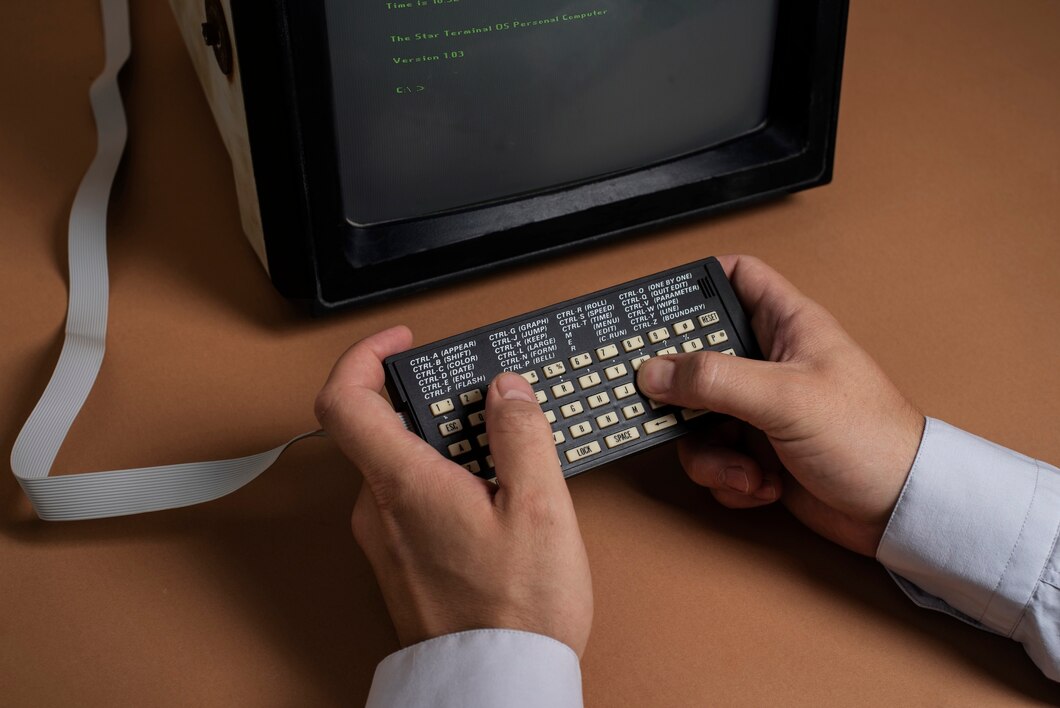
The story of old software tools is also the story of how modern work became digital. Before cloud platforms, AI assistants, real-time collaboration, and browser-based applications became standard, businesses and individuals relied on desktop programs, command-line systems, local databases, spreadsheets, and early communication applications to complete everyday tasks. These old software tools established many of the concepts that continue to influence modern digital workflows, including document creation, data management, project tracking, automation, communication, file sharing, and software integration.
Understanding the old software tools history helps explain why today’s digital workplaces look the way they do. Many modern applications did not appear from nowhere. They evolved from early software tools, classic software programs, and traditional software tools that introduced people to computerized productivity. Some disappeared completely, while others became legacy software tools that organizations still depend on because they contain valuable data, established processes, or specialized functionality.
What Were Old Software Tools?
Old software tools refer to applications and computer programs that were widely used before today’s cloud-first, mobile, and highly integrated software ecosystem became common. Depending on the period, these tools included word processors, spreadsheets, database programs, accounting systems, desktop publishing applications, email clients, project management programs, programming environments, and file-management utilities.
The earliest generations of business software were often designed to perform one specific task. A company might use one application for accounting, another for documents, and a separate database for customer information. Employees frequently had to move information manually between programs.
Over time, software became more connected. File formats became standardized, networks improved, and businesses began connecting multiple applications. Eventually, cloud computing, APIs, SaaS platforms, and automation transformed these isolated applications into interconnected systems.
This progression represents an important part of software evolution and the broader digital workflow evolution that continues today.
A Brief History of Software Tools
The history of software tools stretches back to the early days of computing, when programs were created primarily to perform calculations and operate specialized machines. As computers became smaller and more accessible, software gradually moved beyond scientific and military applications into offices, schools, homes, and businesses.
Early Software Tools and Command-Based Computing
Early software often required technical knowledge. Users interacted with computers through commands rather than visual interfaces. Although these systems were not convenient for the average office worker, they introduced an important concept: computers could automate repetitive processes.
Command-line environments influenced later software because they demonstrated how instructions could be organized into repeatable operations. Modern terminals, scripts, automation tools, and developer environments still reflect this early approach.
The Rise of Personal Computer Software
The arrival of personal computers significantly changed workplace technology. Instead of depending entirely on centralized computing systems, individuals could perform tasks directly from their desks.
Word processors allowed employees to create and edit documents without repeatedly using typewriters. Spreadsheet programs made calculations and financial analysis considerably easier. Database software helped businesses organize information.
This period was a major milestone in productivity software history because computers became practical tools for everyday office work.
Graphical User Interfaces
Graphical user interfaces made software easier to use. Menus, windows, icons, folders, buttons, and mouse controls reduced the need for users to memorize commands.
This change had a lasting influence on modern applications. Today’s productivity platforms may operate through browsers or mobile devices, but many familiar concepts—folders, menus, toolbars, documents, and application windows—have roots in earlier graphical software.
Classic Software Programs That Changed Workplace Productivity
Several categories of classic software programs played an important role in shaping digital work.
Word Processing Software
Early word processors transformed document creation. Instead of producing every document from scratch on paper or a typewriter, employees could edit, save, format, and print digital documents.
Modern document platforms have expanded these capabilities with:
- Real-time collaboration
- Cloud storage
- Version history
- Comments
- Automatic saving
- Document sharing
- AI-assisted writing
- Cross-device access
However, the basic workflow remains familiar: create a document, edit it, save it, share it, and revise it.
Spreadsheet Software
Spreadsheets became one of the most influential productivity technologies. They allowed businesses to organize information in rows and columns while performing calculations automatically.
Modern financial models, dashboards, inventory systems, budgets, and business reports still use spreadsheet concepts.
Even advanced business intelligence systems often provide table-based interfaces because users understand the spreadsheet model.
Database Software
Database applications introduced structured approaches to storing and retrieving information. Instead of keeping every piece of information in separate documents, businesses could organize records and search them systematically.
Modern customer relationship management platforms, enterprise systems, and cloud databases build upon many of these principles.
Desktop Publishing Tools
Desktop publishing software changed the production of newsletters, brochures, advertisements, reports, and other visual materials.
These applications demonstrated that ordinary computer users could perform tasks that once required specialized printing or design departments. Modern online design platforms continue this democratization of creative work.
The Role of Legacy Software Tools
Not every old application disappeared. Many became legacy software tools that organizations continue to operate.
Legacy technology can remain valuable because replacing software is not simply a matter of installing something newer. An old system may contain decades of business records, customized processes, integrations, and employee knowledge.
For example, a company might continue using an older database application because its inventory system depends on it. A financial institution may maintain older systems because replacing them could involve significant operational and regulatory risks.
This explains the continuing impact of legacy software on modern workflows.
Legacy systems can provide stability, but they can also create challenges such as:
- Limited compatibility with newer applications
- Security concerns
- Difficult maintenance
- Lack of modern interfaces
- Dependence on outdated hardware
- Limited integration options
- Higher specialist support requirements
Therefore, legacy technology often exists alongside modern cloud applications rather than disappearing immediately.
How Old Software Tools Shaped Modern Digital Workflows
The influence of older applications becomes especially clear when examining the digital workflow evolution.
A traditional office workflow might have looked like this:
- Create a document on a desktop computer.
- Save it locally.
- Send it as an email attachment.
- Receive an edited version.
- Rename the new file.
- Repeat the process several times.
- Store the final document on a local server.
Modern workflows can perform much of the same process through a cloud platform:
- Create a shared document.
- Invite collaborators.
- Edit simultaneously.
- Track changes automatically.
- Approve the final version.
- Store it in centralized cloud storage.
- Trigger another business process automatically.
The workflow has changed dramatically, but the underlying needs remain remarkably similar.
The difference is that modern systems connect individual tasks into a continuous digital process.
From Outdated Software Tools to Integrated Platforms
One of the biggest changes in the evolution of software tools and digital workflows has been integration.
Older applications were often isolated. Users had to manually transfer information between programs.
Modern applications increasingly communicate through APIs, connectors, integrations, and automation platforms.
For example, a modern workflow might connect:
Website form → CRM → Email platform → Project management system → Accounting software → Reporting dashboard
Information can move automatically between these systems.
This is a major part of digital transformation. Businesses are not simply replacing old applications with newer versions. They are redesigning how information moves through an organization.
Old Business Software and the Birth of Digital Business Processes
Old business software helped organizations turn paper-based activities into structured digital processes.
Accounting programs digitized financial records. Inventory software computerized stock management. Payroll applications automated employee calculations. Database systems organized customer records.
These changes were significant because they changed the role of information.
Before widespread digitalization, information often existed in physical files. Finding, copying, updating, and sharing those records could take considerable time.
Digital systems made information searchable, editable, and reusable.
This was one of the earliest stages of digital transformation, long before businesses began describing their strategies using terms such as cloud computing, automation, or artificial intelligence.
The Connection Between Software Development History and Modern Tools
The software development history also influenced today’s digital workflows.
Early software development often involved specialized teams writing applications for specific hardware environments. Development processes gradually became more structured as programming languages, databases, testing tools, version control, and development frameworks improved.
Modern software development incorporates many ideas that evolved over decades:
- Modular programming
- Version control
- Reusable components
- Automated testing
- Application programming interfaces
- Continuous integration
- Cloud infrastructure
- Collaborative development
- Automated deployment
Today’s developers can work across distributed teams using cloud-based development environments, but many underlying principles were established during earlier generations of software development.
How Software Tools Have Changed Over Time
The question of how software tools have changed over time can be understood through several major transitions.
From Local to Cloud-Based
Older programs were commonly installed directly on individual computers.
Modern applications increasingly operate through cloud infrastructure, allowing users to access files and services from different devices.
From Standalone to Integrated
Traditional applications often operated independently.
Modern platforms increasingly integrate with other applications, allowing information to move between systems automatically.
From Manual to Automated
Earlier software reduced manual work but still required users to perform many repetitive steps.
Modern automation tools can trigger tasks based on events, schedules, rules, or data changes.
From Individual to Collaborative
Older applications generally assumed one primary user at a time.
Modern platforms are designed around collaboration, allowing multiple people to work on the same project or document.
From Fixed to Continuously Updated
Traditional software often followed release cycles in which users purchased or installed new versions.
Cloud applications can receive frequent updates without requiring every user to manually install a new version.
Old Software Tools That Influenced Modern Technology
Many old software tools that influenced modern technology introduced ideas that remain important today.
File and Folder Systems
The familiar organization of documents into files and folders influenced modern cloud storage services.
Early digital mail systems established electronic communication as a core workplace activity. Modern collaboration tools have not eliminated email; instead, they have developed alongside it.
Spreadsheets
The spreadsheet remains a powerful model for organizing, calculating, filtering, and analyzing information.
Databases
Modern applications depend heavily on databases for storing structured information.
Desktop Applications
The concept of software designed around specialized tasks continues through modern productivity applications, even when those applications are browser-based.
Scheduling Systems
Digital calendars and scheduling programs introduced structured approaches to appointments, deadlines, and resource planning that are now integrated into broader productivity ecosystems.
The History of Digital Workflow Tools
The history of digital workflow tools shows a gradual movement from digitizing individual tasks toward connecting complete business processes.
Initially, software simply replaced manual activities.
For example, a calculator replaced manual arithmetic. A word processor replaced a typewriter. A database replaced filing cabinets.
The next stage connected individual tasks.
Documents could be emailed. Databases could communicate with business applications. Networks allowed employees to access shared resources.
The modern stage goes further by automating complete workflows.
A customer inquiry, for example, can now automatically create a CRM record, notify a salesperson, generate a task, send an acknowledgment email, and appear in a reporting dashboard.
This progression demonstrates the evolution of workplace software tools from isolated productivity aids to interconnected digital ecosystems.
The Impact of Legacy Software on Modern Workflows
The impact of legacy software on modern workflows is both positive and challenging.
On the positive side, legacy applications may provide reliable processes that employees understand well. They can also contain valuable historical information and support specialized business requirements.
On the other hand, older systems can create bottlenecks when modern applications cannot easily communicate with them.
Organizations may then build middleware, custom integrations, data-export processes, or APIs to connect old and new technologies.
This creates an interesting hybrid environment in which a decades-old application may still participate in a workflow powered by modern cloud services.
Transition From Old Software to Modern Tools
The transition from old software to modern tools should usually be approached strategically rather than simply replacing everything at once.
Organizations can begin by identifying:
- Which legacy applications are business-critical
- What information each system stores
- Which workflows depend on those systems
- Which applications have integration problems
- What security risks exist
- What modern alternatives are available
- How much employee retraining will be required
A gradual migration can reduce disruption.
For example, an organization might first move document storage to a cloud platform while continuing to operate an older accounting application. Later, it could introduce a modern CRM and connect it to the existing systems.
This staged approach can make digital transformation more manageable.
Modern Digital Workflows Are Built on Older Ideas
Today’s modern digital workflows may appear completely different from the workflows of previous decades, but many fundamental concepts remain unchanged.
Businesses still need to:
- Create information
- Store information
- Find information
- Share information
- Communicate with colleagues
- Track tasks
- Analyze data
- Manage customers
- Approve work
- Maintain records
What has changed is the speed, accessibility, automation, and connectivity of these processes.
Older software established the foundations. Modern technology has expanded them.
Benefits of Understanding Software History
Learning about the history of software is not simply an exercise in nostalgia. It helps businesses and technology professionals understand why modern systems work the way they do.
Understanding old software tools history can help organizations:
Make Better Technology Decisions
Knowing how previous technologies worked makes it easier to evaluate whether a new tool genuinely improves a process.
Manage Legacy Systems
Organizations can better understand why older systems remain important and how they should be integrated or replaced.
Design Better Workflows
Studying previous workflow problems can reveal opportunities for automation and simplification.
Appreciate Digital Transformation
Digital transformation becomes easier to understand when viewed as a continuing process rather than a sudden technological revolution.
Prepare for Future Technology
The software industry repeatedly transforms existing ideas into new forms. Understanding previous transitions can help organizations adapt to future changes.
What Can Businesses Learn From Classic Software Tools?
There are several lessons modern organizations can take from classic software tools that shaped digital work.
First, useful technology should solve a real problem. Some older applications became successful because they addressed clear workplace challenges.
Second, simplicity matters. A system with many features is not necessarily better if users struggle to operate it.
Third, interoperability is important. Isolated systems can create unnecessary manual work.
Fourth, data has long-term value. Organizations should consider how information will remain accessible when software is replaced.
Finally, technology should support people rather than simply introduce complexity.
The Future of Digital Workflows
The evolution that began with early computing continues today.
Artificial intelligence, automation, cloud computing, low-code platforms, real-time collaboration, and advanced analytics are creating new approaches to workplace productivity.
AI can summarize information, generate drafts, classify data, identify patterns, and automate repetitive tasks. Cloud platforms make collaboration possible across locations. Automation connects systems that previously required manual intervention.
Yet the fundamental principles remain connected to the past.
A modern AI-powered workflow still needs information to be created, processed, stored, and communicated. Those requirements have existed throughout the history of software tools.
The technology changes, but the underlying purpose remains remarkably consistent: help people accomplish work more efficiently.
Frequently Asked Questions
What are old software tools?
Old software tools are earlier generations of computer applications used for tasks such as word processing, spreadsheets, databases, accounting, communication, design, and project management. Some have disappeared, while others remain as legacy systems.
Why are legacy software tools still used?
Organizations may continue using legacy software because it contains valuable historical data, supports specialized processes, integrates with important systems, or would be expensive and risky to replace immediately.
How did old software influence modern digital workflows?
Old applications introduced fundamental concepts such as digital documents, spreadsheets, databases, electronic communication, file management, and task automation. Modern platforms expanded these concepts through cloud computing and integration.
What is the difference between traditional and modern software?
Traditional software was often installed locally and operated independently. Modern software is increasingly cloud-based, collaborative, continuously updated, mobile-accessible, and connected to other applications.
Why is software evolution important?
Software evolution shows how technology has gradually moved from automating individual tasks toward connecting and automating entire workflows. Understanding this development helps businesses make better technology decisions.
Should businesses replace all outdated software tools?
Not necessarily. Businesses should evaluate the cost, security, functionality, compatibility, and strategic importance of each system. In some cases, modernizing or integrating an older application may be more practical than immediately replacing it.
Conclusion
The journey from early software tools to today’s interconnected applications demonstrates how dramatically workplace technology has evolved. Word processors, spreadsheets, databases, desktop applications, email systems, and other traditional software tools established the basic digital processes that businesses still rely on.
The evolution of software tools and digital workflows has gradually moved organizations from isolated applications toward connected ecosystems. Modern cloud platforms, automation, AI, and collaboration tools are more advanced, but they continue to build on concepts introduced by earlier generations.
Ultimately, how old software tools shaped modern digital workflows is a story of continuous improvement rather than complete replacement. The tools may become outdated, but the ideas they introduced often survive. Understanding that history provides valuable insight into the transition from old software to modern tools, the role of legacy technology, and the continuing evolution of digital work.
About the Author