The MS-DOS history is one of the most important chapters in the development of personal computing. Before graphical interfaces became the standard way people interacted with computers, users commonly typed commands to launch programs, manage files, and configure their systems. MS-DOS became closely associated with the IBM PC and its growing ecosystem of compatible computers, software, and games.
Although MS-DOS eventually gave way to Windows as the dominant consumer-facing environment, its influence lasted for decades. It helped establish conventions for file organization, command-line interaction, executable programs, and PC software distribution. Understanding DOS history also provides useful context for how Microsoft became a major force in personal computing and why Windows evolved in the direction it did.
Origins of MS-DOS
The story of MS-DOS begins before Microsoft DOS itself existed.
In the late 1970s and early 1980s, personal computers were becoming increasingly accessible. Early machines often came with their own operating systems or relied on relatively simple software environments. One influential operating system was CP/M, created by Gary Kildall and Digital Research.
CP/M was designed for microcomputers using Intel’s 8080 and related processors. It provided a standardized environment in which users could run programs and manage files without having to interact directly with the computer’s hardware.
Microsoft, which had already established itself as a software company, was also developing programming languages and other software for the growing microcomputer market.
The opportunity that eventually produced MS-DOS emerged when IBM began developing its personal computer.
IBM wanted an operating system for its upcoming IBM PC. Microsoft did not initially have an operating system that it could simply hand over. Instead, Microsoft licensed an existing system called 86-DOS from Seattle Computer Products.
86-DOS had been developed by Tim Paterson and was influenced by CP/M’s design and command structure. Microsoft acquired rights to the system and subsequently developed it into the operating system that became known as MS-DOS.
This acquisition became a crucial turning point in Microsoft DOS history.
MS-DOS and the IBM PC
IBM introduced the IBM PC in 1981. The machine used Intel’s 8088 processor and was designed around relatively open hardware architecture compared with many competing systems.
IBM offered several operating-system choices, including PC DOS from Microsoft/IBM. Microsoft also licensed its version of the operating system to other computer manufacturers under the name MS-DOS.
PC DOS and MS-DOS were extremely closely related, especially during their early development.
This arrangement had significant consequences for the personal-computer industry. As other manufacturers created IBM-compatible machines, MS-DOS became an important common software platform.
A computer did not necessarily need to be manufactured by IBM to run DOS-compatible software.
That helped create a broad PC ecosystem.
Software developers could write programs for the DOS environment and potentially reach users across many compatible machines. Hardware companies could sell computers capable of running an expanding collection of established applications.
The result was a reinforcing cycle:
More DOS-compatible computers → more DOS software → greater demand for compatible computers → larger DOS market.
This ecosystem became one of the foundations of the modern PC industry.
Command Line Computing
One of the defining characteristics of MS-DOS was its command-line interface.
Instead of clicking icons or selecting menus with a mouse, users typed commands into the DOS prompt.
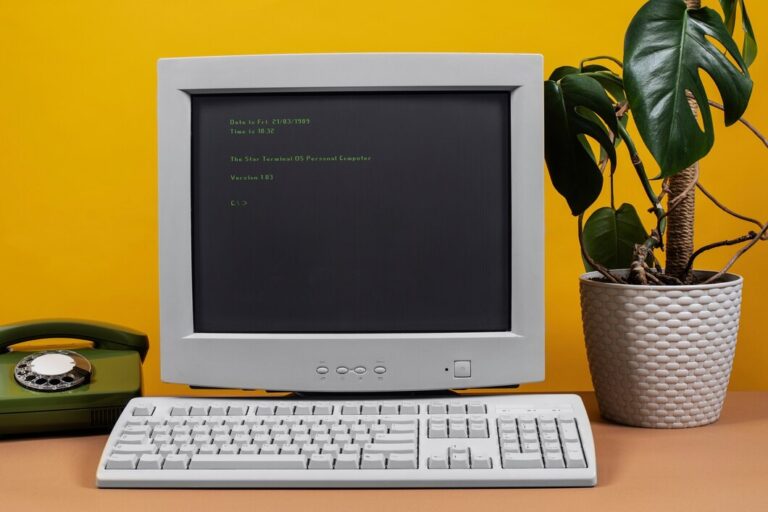
A typical prompt might look like:
C:\>
The user could then type a command and press Enter.
For people accustomed to modern graphical interfaces, this may seem complicated. However, experienced DOS users could perform tasks quickly once they learned the command system.
Command-line computing required users to understand how files, directories, drives, and programs were organized.
A typical workflow could involve:
- Opening a DOS prompt.
- Changing to a directory.
- Listing its files.
- Running an executable program.
- Creating or deleting directories.
- Copying files to another location.
- Restarting or configuring the computer when necessary.
This environment gave users considerable direct control over their computers, although it also required more technical knowledge than modern graphical interfaces generally demand.
The command line was not simply a limitation of DOS. It was also an efficient interface for users who knew what they wanted to accomplish.
Important DOS Commands
Learning DOS often meant learning a collection of commands that became familiar to generations of PC users.
DIR
The DIR command displayed files and directories within the current location.
For example:
DIR
could show the contents of a directory.
Users could also use options to change how information was displayed.
CD
The CD command, short for Change Directory, allowed users to move between directories.
For example:
CD GAMES
would move into a directory named GAMES.
COPY
The COPY command was used to copy files.
A command such as:
COPY GAME.EXE A:
could copy a file to the A: drive, which commonly represented a floppy disk drive.
DEL
The DEL command deleted files.
Because command-line operations did not always provide the protective visual prompts users expect today, accidentally deleting the wrong file could be a serious problem.
MD and RD
MD, meaning Make Directory, created a new directory.
RD, meaning Remove Directory, removed an existing directory when appropriate.
REN
REN allowed users to rename files.
TYPE
TYPE displayed the contents of a text file directly in the command prompt.
FORMAT
FORMAT prepared a disk for use by creating the appropriate file-system structures.
This was a powerful command and needed to be used carefully because formatting could destroy existing data on a disk.
CHKDSK
CHKDSK was used to examine disks and report information about their file systems and storage.
These commands formed part of the vocabulary of command line computing during the DOS era.
DOS File Organization
MS-DOS used a drive-letter system that became deeply embedded in PC culture.
Common drive letters included:
- A: and B: for floppy drives
- C: for the primary hard drive
- Additional letters for other storage devices
Files were organized into directories, which are now more commonly called folders.
A path might look like:
C:\DOS\UTILS
This meant the UTILS directory existed inside DOS, which was located on the C: drive.
DOS also used the FAT file system, particularly FAT12 and FAT16 during different stages of its development.
Early DOS versions had significant limitations, including restrictions related to memory, storage capacity, and filename length.
Traditional DOS filenames commonly followed the 8.3 convention: up to eight characters for the main filename and up to three characters for the extension.
For example:
README.TXT
GAME.EXE
CONFIG.SYS
This naming system influenced PC software and file management for many years.
Software During the DOS Era
The growth of MS-DOS was closely connected to the growth of PC software.
DOS supported a huge range of programs, including word processors, spreadsheets, databases, programming tools, educational applications, utilities, and business software.
One of the best-known applications associated with the DOS era was Lotus 1-2-3, a spreadsheet program that became highly influential in business computing.
Word processing was another major software category. Programs such as WordPerfect became widely used for document creation.
Software distribution also looked very different from today.
Instead of downloading an application from an online store, users commonly purchased boxed software containing floppy disks, manuals, registration cards, and documentation.
Installing software could involve inserting multiple floppy disks and typing installation commands or following text-based menus.
Users often needed to understand files such as:
CONFIG.SYS
AUTOEXEC.BAT
These files could contain system configuration and startup instructions.
Configuring DOS software sometimes required manually adjusting memory settings or startup commands. This was particularly important for demanding applications and games.
DOS Games and the Rise of PC Gaming
The history of DOS would be incomplete without discussing DOS games.
During the 1980s and 1990s, MS-DOS became an important gaming platform. The PC was not originally designed exclusively as a gaming machine, but increasingly sophisticated hardware and software transformed it into a major gaming platform.
Early DOS games were often relatively simple because computer hardware had limited graphics and sound capabilities.
As technology improved, developers created increasingly ambitious games.
Genres popular on DOS included:
- Adventure games
- Role-playing games
- Strategy games
- Simulations
- Platformers
- Racing games
- First-person shooters
- Puzzle games
Companies such as id Software helped transform PC gaming with titles including Commander Keen, Wolfenstein 3D, and DOOM.
DOOM, released in 1993, became particularly influential. Its fast-paced first-person perspective demonstrated how powerful a PC gaming experience could become.
DOS gaming also introduced players to concepts that remain important today, including multiplayer gaming, shareware distribution, modifiable game files, and increasingly sophisticated sound and graphics.
Shareware was particularly important.
Developers could distribute part of a game for free and ask users to purchase the remaining content. This model allowed smaller developers to reach audiences without relying entirely on traditional retail distribution.
The DOS era therefore contributed not only to PC gaming technology but also to new approaches to software marketing.
Memory Management and the DOS Challenge
One of the more complicated aspects of DOS computing involved memory.
Early IBM-compatible PCs had limited conventional memory. As applications became more demanding, developers and users looked for ways to make better use of available memory.
The famous 640 KB conventional-memory boundary became a recurring issue in DOS computing.
Users sometimes had to optimize startup files to free memory for games and other programs.
This could involve adjusting CONFIG.SYS, AUTOEXEC.BAT, device drivers, and memory-management utilities.
Terms such as conventional memory, expanded memory, and extended memory became part of the vocabulary of advanced DOS users.
For modern users, manually configuring memory before launching a game may seem unusual. During the DOS era, however, it could be an ordinary part of getting software to work.
The Transition From DOS to Windows
MS-DOS remained important even as graphical computing became increasingly popular.
Microsoft Windows was introduced in 1985 as a graphical environment designed to run on top of DOS. Early Windows versions were not immediate replacements for DOS. Instead, they provided graphical capabilities while DOS remained an important underlying environment.
Windows gradually became more sophisticated.
Windows 3.0, released in 1990, achieved substantial adoption and helped make graphical computing more accessible to mainstream PC users.
Windows 3.1 further strengthened the platform.
Instead of typing commands to launch every application, users could interact with windows, menus, icons, and dialog boxes.
The mouse became increasingly important.
This represented a major shift in how ordinary users interacted with computers.
However, DOS did not disappear immediately. Many applications continued to run in DOS, and Windows itself remained closely connected to the DOS environment for years.
Windows 95 marked another major stage in the transition. Its graphical interface made Windows feel much more like a complete consumer operating environment, although DOS technology remained underneath important parts of the system.
Later Windows versions gradually moved further away from DOS dependence.
The transition was therefore not an overnight replacement. It was a gradual evolution from text-based PC computing toward graphical operating systems.
Why Windows Eventually Took Over
Graphical interfaces offered several advantages for mainstream users.
Instead of memorizing commands, users could navigate through visual menus and icons.
Files could be represented graphically. Applications could be launched through menus. Multiple programs could operate within a more integrated desktop environment.
Windows also became increasingly capable of handling networking, multimedia, printing, hardware configuration, and other tasks.
As PCs became common in homes, schools, and offices, ease of use became increasingly important.
DOS remained powerful for users who understood it, but graphical environments lowered the technical barrier for newcomers.
The shift was also supported by software developers. As Windows became more popular, companies increasingly created applications specifically for graphical Windows environments.
Eventually, the center of PC software development moved away from pure DOS applications.
The Legacy of MS-DOS
The legacy of MS-DOS extends well beyond the period when it was the dominant PC operating environment.
Many concepts introduced or popularized during the DOS era remain recognizable today.
The command prompt still exists in modern Windows environments. Drive letters remain part of Windows file management. Extensions such as .EXE, .BAT, and .TXT continue to be familiar.
Command-line interfaces also remain important in professional computing.
Developers, system administrators, cybersecurity professionals, and technical users regularly work with command-line tools because they can provide precise and efficient control.
The DOS era also helped establish software conventions that shaped the PC industry.
The idea of a broadly compatible hardware platform running software from many different developers became a defining characteristic of personal computing.
Gaming is another major part of the legacy.
Many influential DOS games remain remembered decades after their release. Some have been re-released, remastered, or made available through modern digital platforms.
Emulation has also made it possible to experience many classic DOS applications and games on contemporary hardware.
Why MS-DOS History Still Matters
Studying MS-DOS history is not simply an exercise in nostalgia.
It explains how personal computers developed from technically demanding machines into systems designed for mass-market use.
DOS demonstrates how users once interacted directly with files, directories, memory, and hardware configuration. It also shows why graphical interfaces became attractive as computers expanded beyond technical enthusiasts.
The history of DOS also illustrates the importance of software ecosystems.
MS-DOS became powerful not merely because of the operating system itself but because of the enormous collection of applications and games built around it.
That ecosystem helped establish standards that influenced later generations of personal computers.
From office software to DOS games, from floppy disks to hard drives, DOS was part of a period when personal computing was rapidly changing.
Conclusion
The MS-DOS history represents a foundational period in personal-computer development. Beginning with the operating-system technology that Microsoft acquired and developed for the IBM PC era, DOS grew into a major software platform for compatible computers.
Its command-line environment required users to learn commands, understand directories, manage files, and sometimes configure system resources manually. At the same time, it supported an expanding software industry that produced influential business applications, utilities, programming tools, and games.
The arrival and growth of Windows gradually changed the way people interacted with PCs. Graphical interfaces made computing more accessible and eventually became the mainstream approach. Yet DOS did not simply vanish from history. Its commands, file conventions, software ecosystem, and gaming legacy continue to influence computing.
From the IBM PC to the rise of graphical Windows desktops, DOS history helps explain one of the most significant transitions in personal computing: the move from typing instructions into a computer to interacting with it visually. Microsoft DOS was eventually replaced as the everyday computing environment, but the foundations it helped establish remain visible in modern PC technology.
About the Author